“Your disk is almost full.” Again.
Clean Mac shows what is taking up space on your Mac and cleans what is safe to clean, starting with what Xcode and developer tools leave behind.
Free and open source, no account needed.
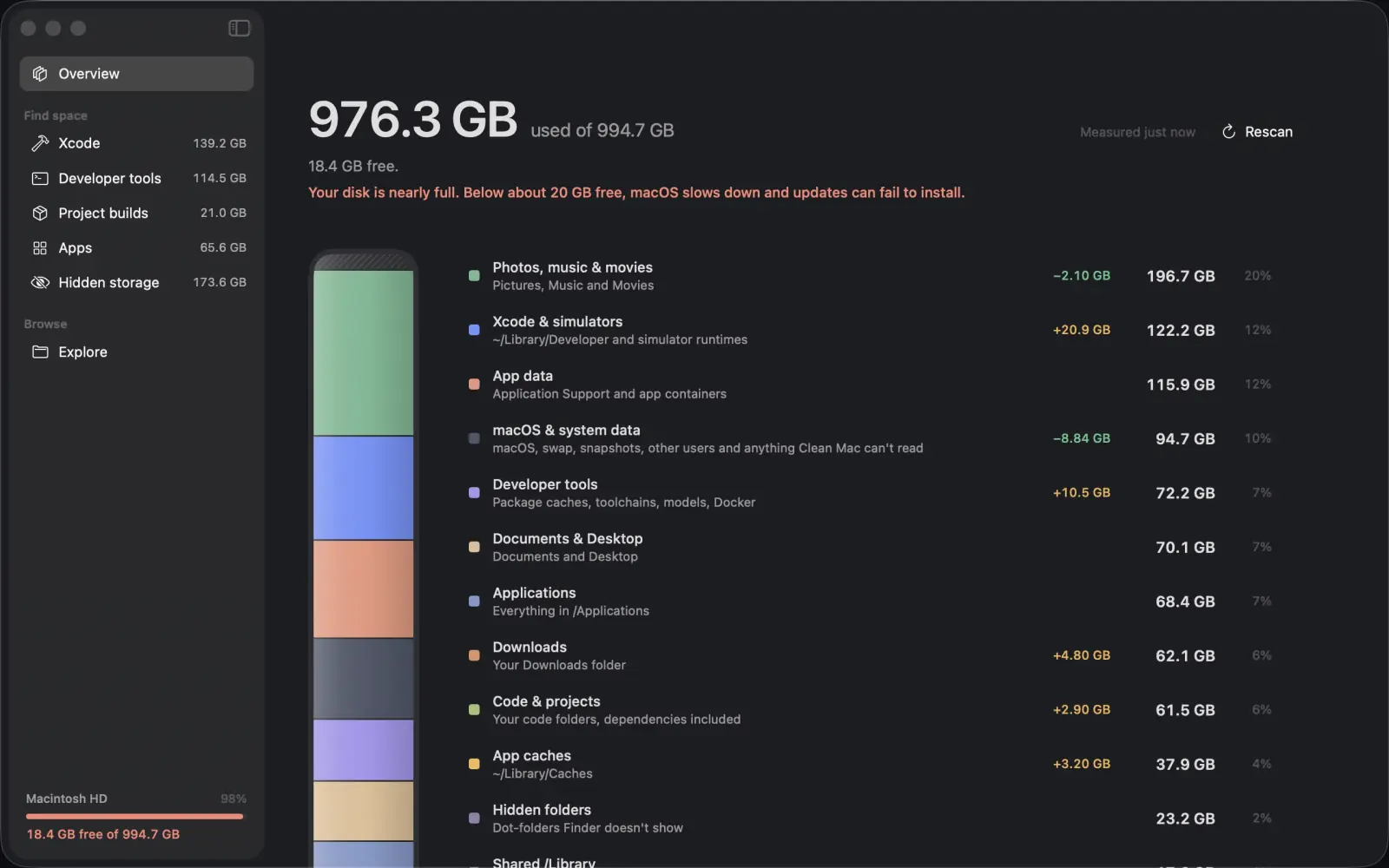
You deleted photos and the number barely moved.
The space is going where Finder doesn’t lead you. Clean Mac draws your whole disk as layers and lists the largest folders, so you see what is taking up space before you touch anything.
It finds what Finder keeps out of sight: app caches, leftovers from removed apps, package caches, AI models, build folders, iPhone backups, snapshots and hidden folders.
Five places your space goes, and a way to browse the rest.
Xcode
DerivedData, simulators, runtimes, archives and extra Xcode installs, with the stale ones flagged for you.
Developer tools
Package caches from npm, Homebrew, pip, Cargo and the rest, Docker disks, and AI models from Ollama and LM Studio.
Project builds
node_modules and every other build folder in your code, with how long each project has sat idle.
App caches and data
Caches, including the ones apps tuck out of sight, and the data left behind by apps you deleted.
Hidden storage
iPhone backups, installers, the Trash, files over 1 GB, virtual machines, snapshots and purgeable space.
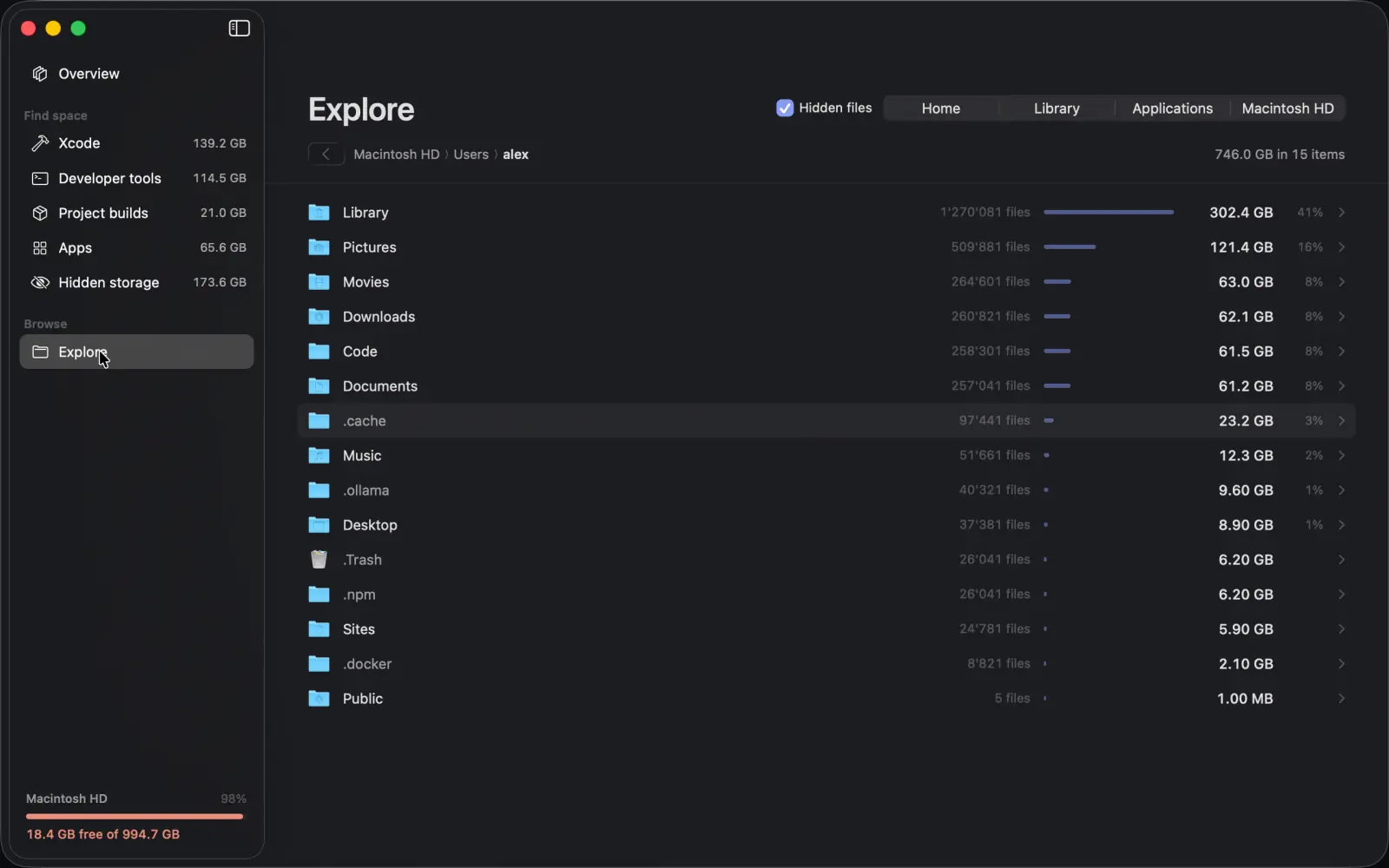
Explore
Any folder, sorted by size, for whatever the rest doesn’t name.
Every row says what happens if you remove it.
Each item carries one of three labels. “Select recommended” only picks what rebuilds itself or is clearly stale, and you check the list before anything moves.
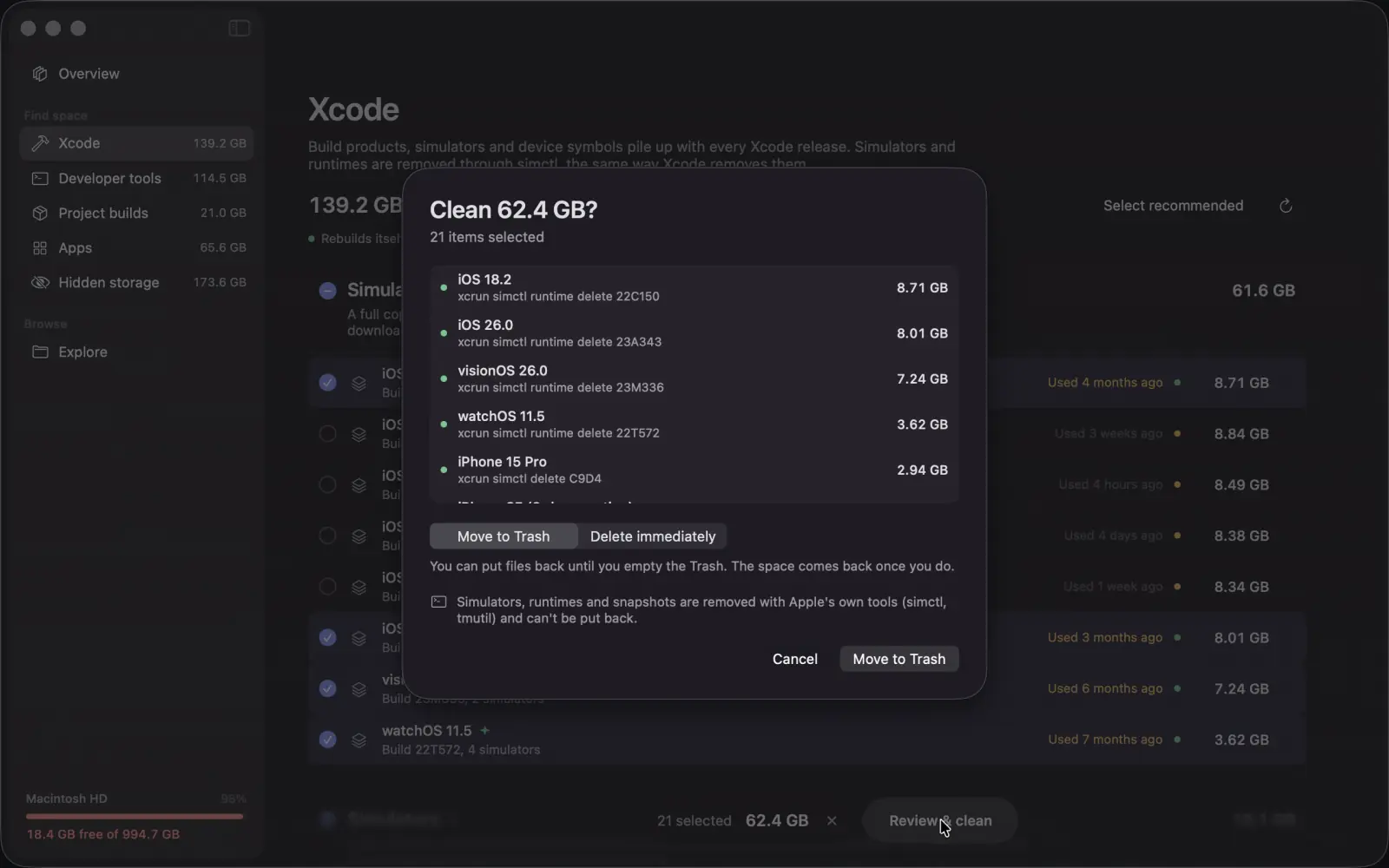
Files go to the Trash first.
You can put them back until you empty it. Deleting right away is a choice you make, never the default.
Some things can’t come back.
Simulators, runtimes and snapshots are removed for good, with Apple’s own tools. The confirmation sheet says so before you agree.
Dangerous folders are off limits.
Clean Mac refuses to remove your home folder, Documents, Desktop, Downloads, your keychains, or anything outside your home and Applications.
Apple’s own data is look, don’t touch.
Apple’s app containers and media libraries are measured and shown, but can’t be selected for cleaning.
The code is public. Ask Claude or ChatGPT to read it.
Clean Mac has no network access, no analytics and no account, so everything it measures stays on your Mac. The code is open, so anyone can check what it removes, and how.
Read the sourceSee which folders grew since you last looked.
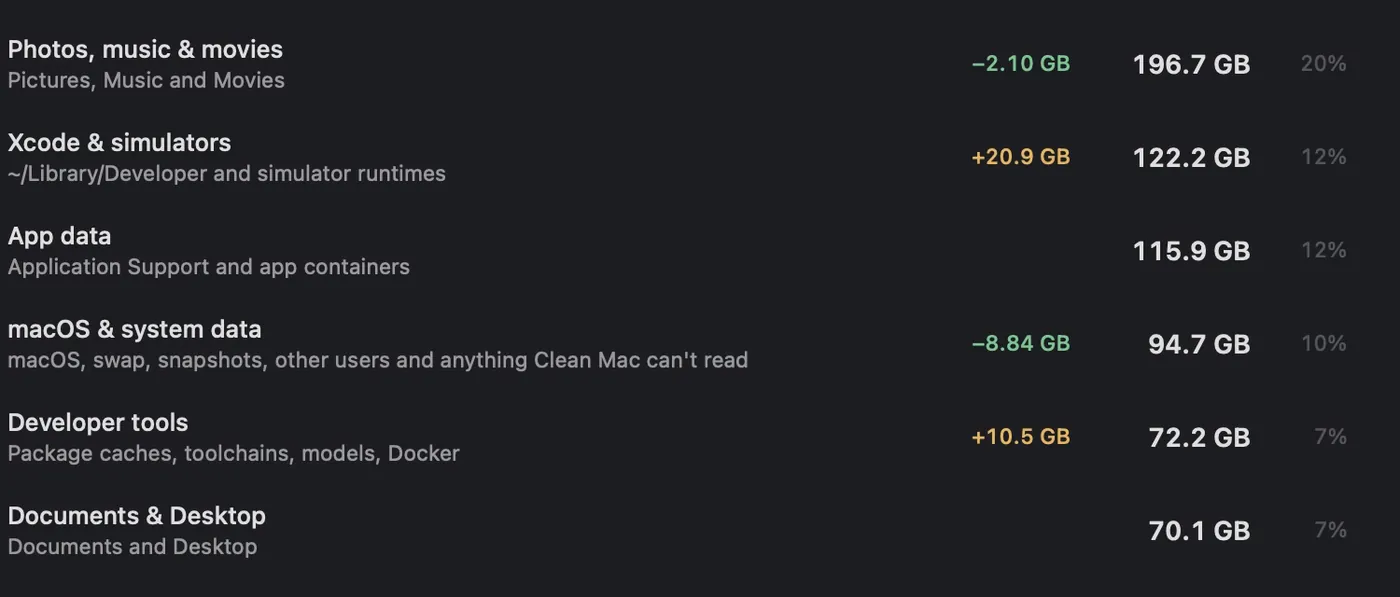
Clean Mac remembers your scans, and beside each size it shows how much that category grew since an earlier one. You see what keeps eating your disk.
It asks for one permission.
Full Disk Access
macOS guards Mail, Messages, Safari, device backups, the Trash and other apps’ data. Clean Mac needs this one switch to measure them, and shows you where it is.
What to ask any Mac cleaner, answered for this one.
How do I see what is taking up space on my Mac?
Open Clean Mac and let it scan. You get your whole disk drawn as layers, the largest folders, and what’s ready to clean.
My Mac says the disk is almost full. Where do I start?
With what rebuilds itself. Open a section such as Xcode, press Select recommended, and check the list before anything moves.
How much space will I get back?
That depends on your Mac, so we don’t promise a number. Clean Mac shows the size of each item before you remove it.
Is it safe to delete Xcode DerivedData?
Yes. Xcode recreates it on the next build, which is just slower the first time. Clean Mac also flags the folders of projects that no longer exist.
Is this Mac cleaner really free?
Yes. Clean Mac is free and open source, and there’s no account to make.
Do I have to be a developer?
No. It’s sharpest on Xcode and developer tools, and it also finds app caches, leftovers from deleted apps, iPhone backups and large files. Xcode doesn’t need to be installed.
Will it run on my Mac?
Yes, if your Mac runs macOS 26 or later.
Find out what is filling your disk.
Free and open source, no account needed.