Brew the web you want
Web Potions is a Chrome extension that removes anything you pick from any website, and keeps it gone on every visit. Hide YouTube Shorts, turn a page dark, or pour in your own CSS and JavaScript.
Whatever they show you goes straight into your head
You look at websites all day. Web Potions lets you decide what gets through.
One extension instead of a drawer full of half-working ones
Every tweak is a potion: a small bundle of changes that runs by itself on the sites you choose. Remove what bugs you, restyle what’s ugly, highlight what matters, and hide the pop-ups nobody asked for.
Pointing and clicking is enough. If you write CSS or JavaScript, every potion has room for yours.
Mix a potion from six ingredients
Pick & zap
Remove, blur or restyle any element. It stays that way, even when the page redraws itself.
Keyword glow
Highlights the words you care about, wherever they appear.
Fix scrolling
Gives you your scrollbar back, and keeps it there.
Image veil
Blurs or blanks images until you hover them.
Custom CSS
Your own stylesheet, on the sites you choose.
Custom JS
Your own script, run once or on a loop.
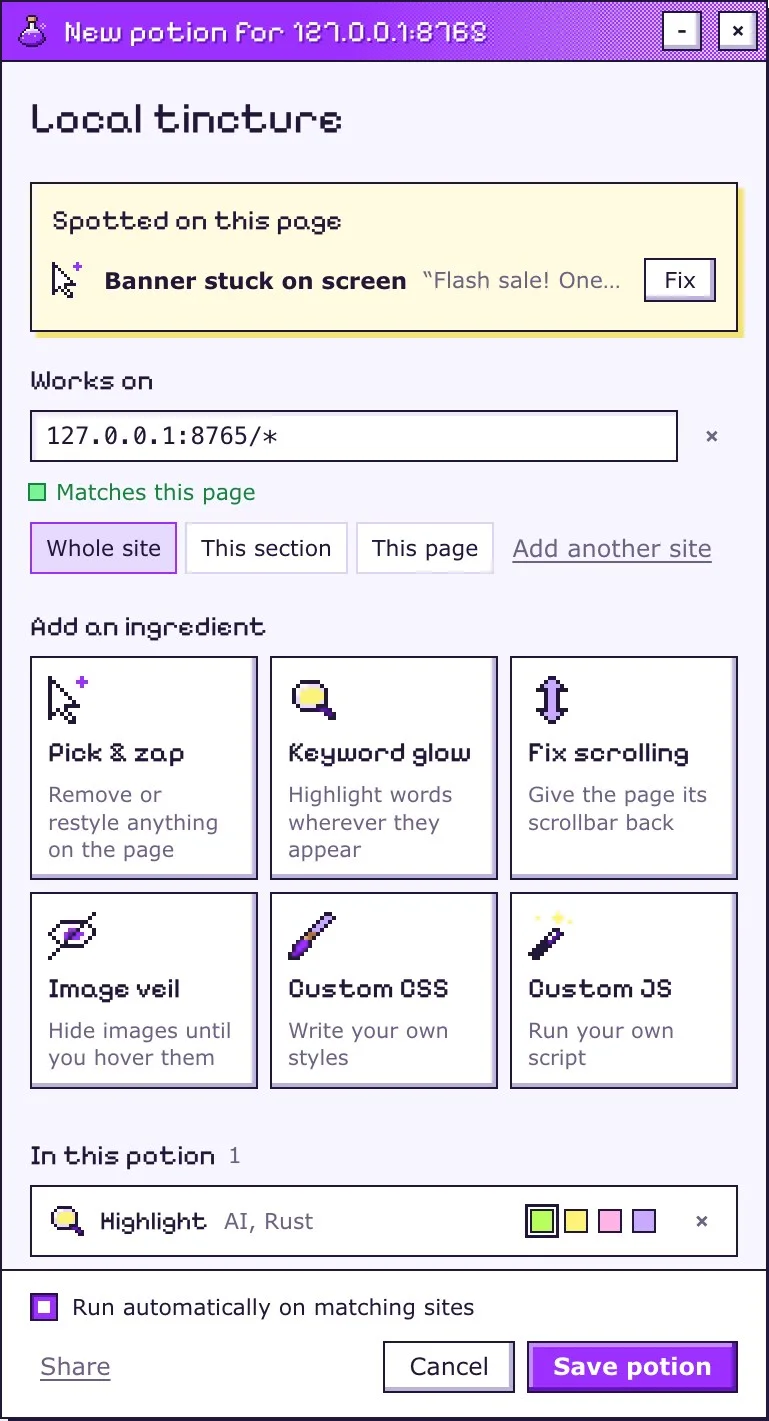
The brewing window opens right on the page that annoys you
A banner glued to the screen, a page that won’t scroll? It has already spotted them. Click Fix all and they’re gone. Add any other ingredients you like, then save your potion.
Next time you visit, it runs before the page has finished loading, so what you hid never gets a chance to flash.
Or skip the window: right-click anything to remove or restyle it, or select words and right-click to make them glow.
Seven potions are ready in the catalog
One click puts any of them on your shelf.
These run by themselves on one site
-
Instagram, no pictures
instagram.com
Every photo and video on Instagram turns invisible. Captions and comments stay.
-
YouTube, no recommendations
youtube.com
The home feed, Up next and end-screen suggestions disappear. Search and Subscriptions still work.
-
YouTube, no Shorts
youtube.com
Shorts disappear from YouTube: the tab, the shelves, your feeds and search.
These work on any page, when you drink them
All four work on this page too. Try one.
-
Gray mode
Drains the color out of any page, so it reads like a newspaper.
-
Hide all images
Every image becomes a blank tile. Hover one to peek.
-
Hype detector
Lights up buzzwords like revolutionary, seamless and synergy, so you can see how hard a page is selling.
-
Night mode
Turns any page dark by flipping its colors. Photos and videos stay normal.
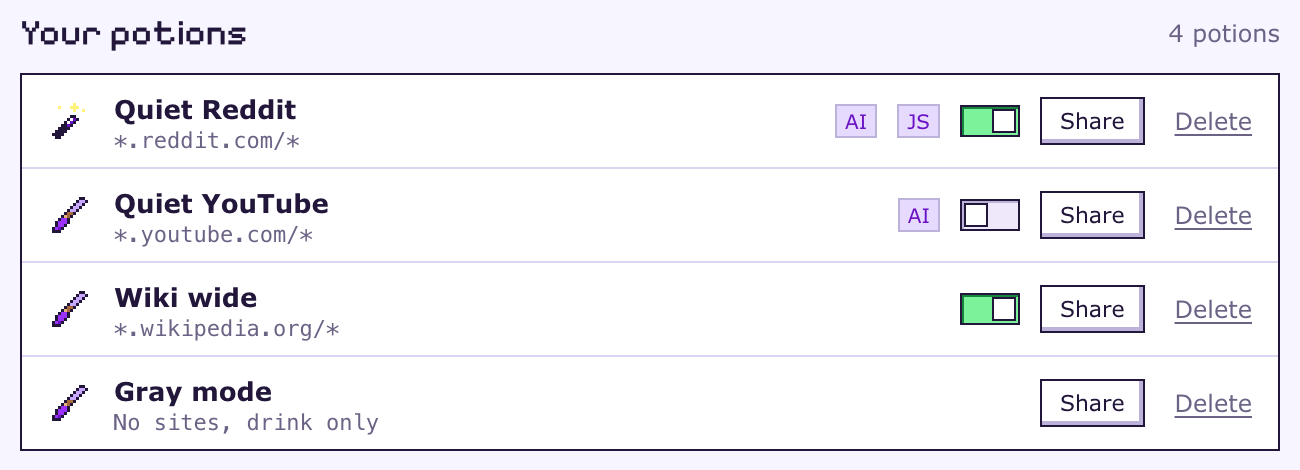
Everything you save has a switch
Switch any potion on or off in one click, drink one just once on another site, and share your best recipes.
Ask your AI to make it so
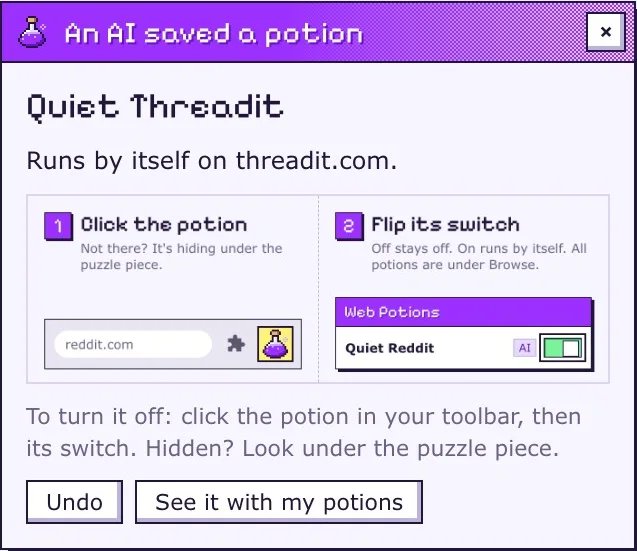
Use an AI that can drive your Chrome, like Claude in Chrome? Turn on AI mode and say what you want in plain words. It looks at the page, tries a fix, checks it, and saves what works.
You stay in charge
It can only save potions for the site it’s on, and it can’t delete anything. A page could still trick it into saving a bad one, so every potion an AI saves arrives with an Undo button.
Your potions stay in your browser
Web Potions has no servers, no analytics and no accounts. Your potions stay in Chrome, and the one thing it fetches is the catalog, with nothing about you attached.
A shared potion can carry code, so only import potions from people you trust. You see what’s inside before anything is added.
One switch to turn on
Chrome asks for it before any extension can run your own scripts on pages. The welcome page shows you where it is.
Questions before you install
How do I remove an element from a website in Chrome?
Install Web Potions, right-click the element and choose Remove or edit this element from the Web Potions menu. Pick Remove, save, and it stays gone on every visit.
Can it hide YouTube Shorts and block recommendations?
Yes, with two ready-made potions from the catalog. Search and Subscriptions keep working.
Can I add custom CSS and JavaScript to one site?
Yes. Each potion runs on the sites you give it, from a whole domain down to a single page, and has room for your own CSS and JavaScript.
Can it make any website dark?
Yes. The Night mode potion darkens any page, once when you drink it, or every time on the sites you pick.
Is Web Potions free?
Yes. It’s free and open source, and there’s no account to make.
Why does it ask for access to every site?
Because your potions can run on any site you choose. It only changes a page through a potion you turned on or a tool you opened.
Do I need an AI to use it?
No. AI mode is optional and stays off until you turn it on.